Chordata places the entirety of our catalog at the user’s fingertips with powerful searchability. Under-the-hood, Chordata will validate and connect all necessary data within the publishing workflow, preventing data duplication and errors. The result is a source of information for every system at Carl Fischer Music and Theodore Presser Company (Websites, NAV, etc.). Chordata is designed to store data pertaining to its six primary entities: Contracts, Partners, Works, Products, Assets, and Publishers.
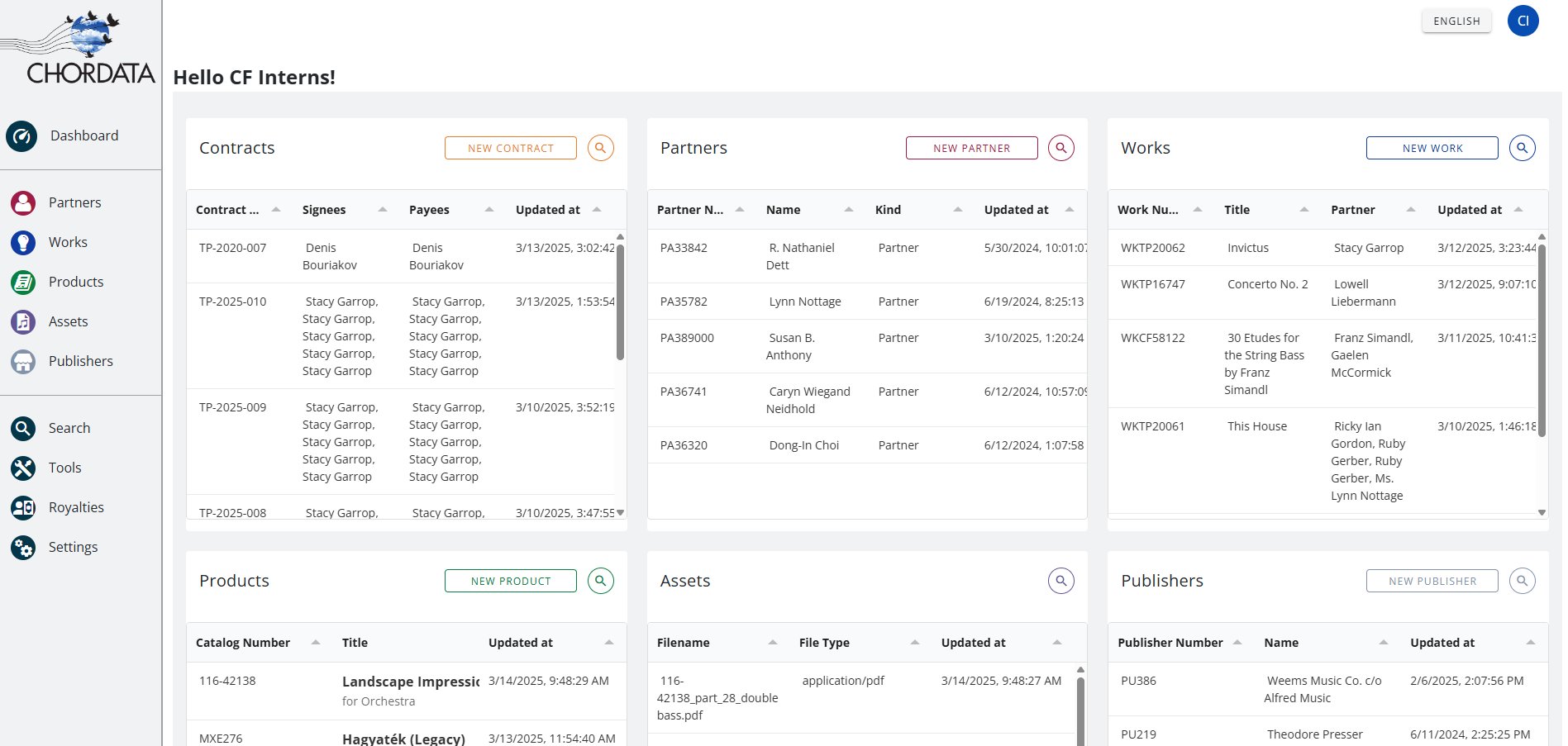
Upon logging into Chordata, the landing page will display a dashboard of the entities you have access to depending on your permissions. Each entity list preview features a “quick search” where you can search for specific data belonging to that entity.
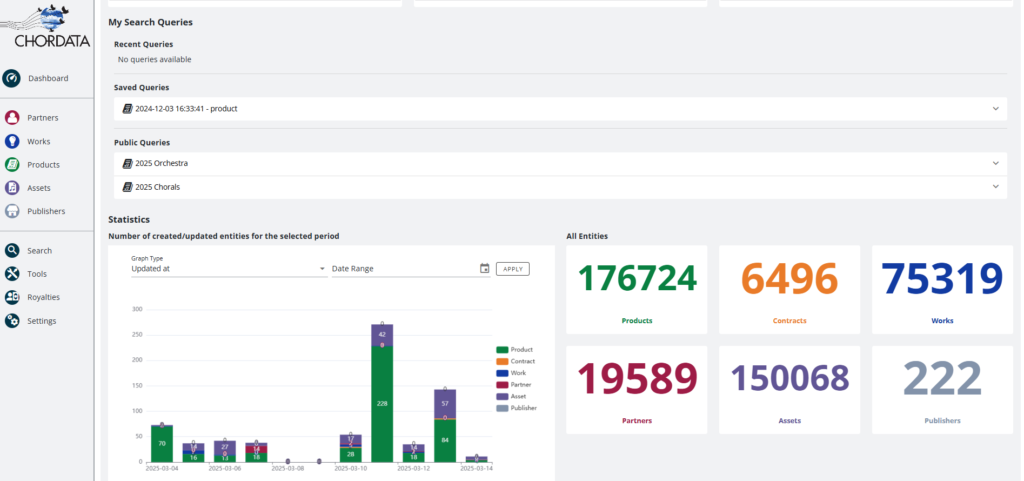
Below the boxes, you will also see ‘Search Queries’, ‘Statistics’, and ‘All Entities’. Search Queries are any searches made with customized parameters to refine the search, which can be saved on a user’s account for easy access later. Any Recent Queries, Saved Queries, and Public Queries (those available to all users) are displayed here. ‘Statistics’ features a visual graph of all created or updated entities for a selected date range. ‘All Entities’ displays the current total amounts of Products, Contracts, Works, Partners, Assets, and Publishers.
The sidebar menu to the left of the screen allows the user to navigate between the different Chordata pages. Here you can access the dashboard, entity types (those available to user depends on permissions), and functions like the search engine, tools for importing/exporting data, the royalties page, and general settings.
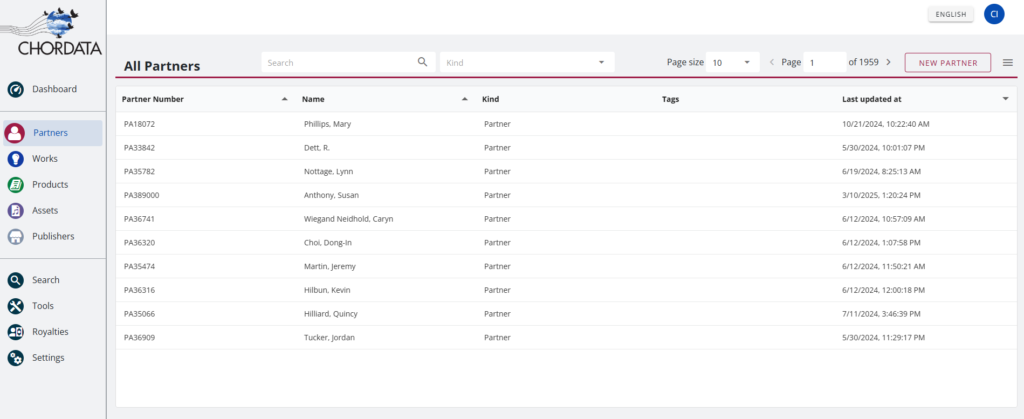
Clicking on an entity type will open a list of records of that type. Users can sort the list by the headers in the columns. The search bar above the list can be used to look for a specific item belonging to that entity type. Selecting an item will open that specific item’s Chordata entry, where its data and assets can be edited, uploaded, or deleted.